The text to speech app that turns anything into audio.
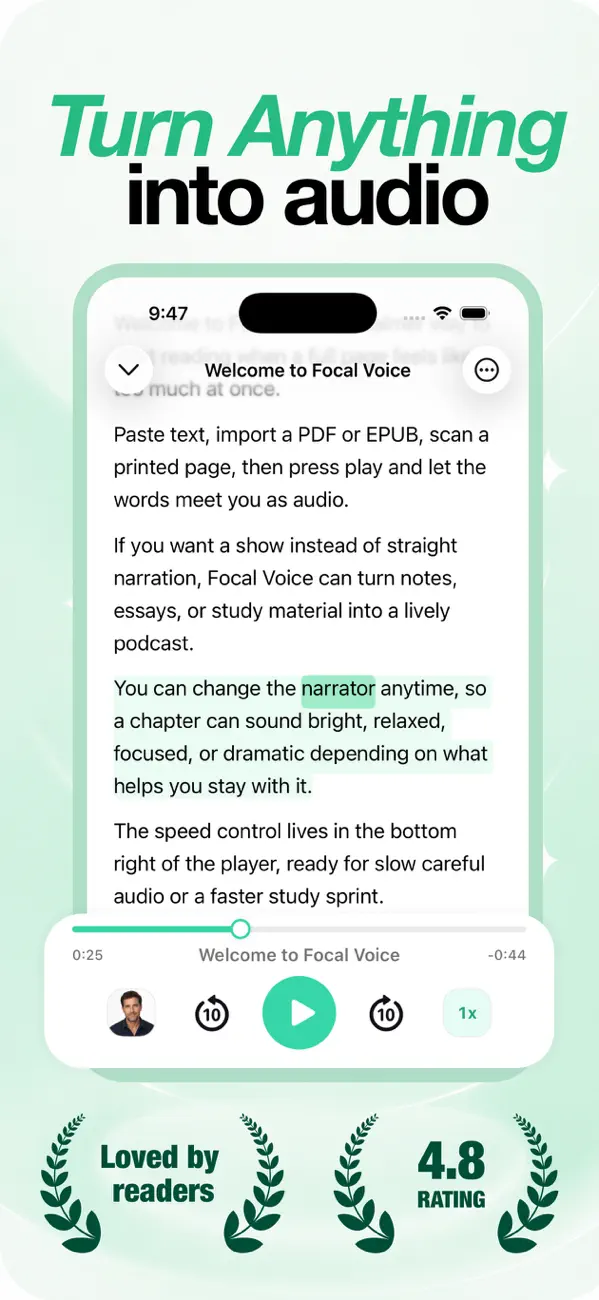
Focal Voice reads PDFs, books, articles, notes — even photos of printed pages — aloud with natural AI voices. Or turns them into podcast-style episodes you can take anywhere.

- Free to try
- 8 languages
- Listen offline
Listen to any document, in seconds
Download Focal Voice free on iPhone and iPad, import anything you'd normally have to sit down and read, and press play.
Free to download · iOS 16+ · Subscription unlocks full features
A reading app you press play on
Import, pick a voice, and listen — with synced highlighting, speed control, and AI podcast mode.
From text to audio in three steps
Add anything
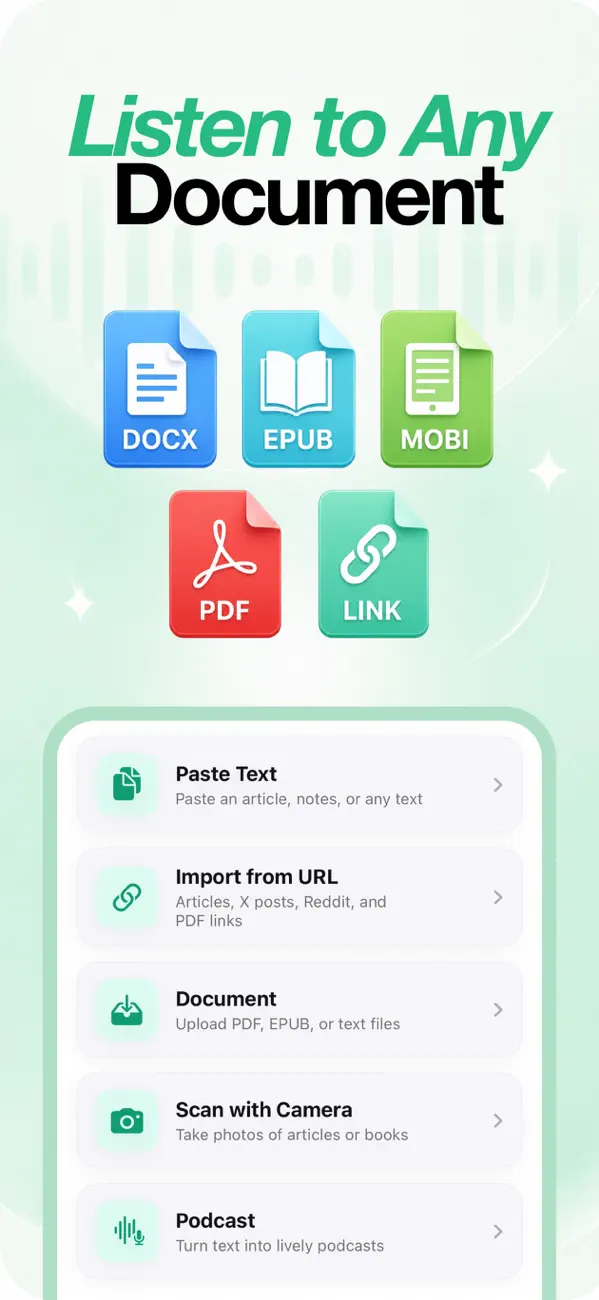
Upload a PDF, EPUB, or MOBI file, paste text, drop in a URL — or point your camera at a printed page. Focal Voice extracts the readable content automatically.
Pick a voice & speed
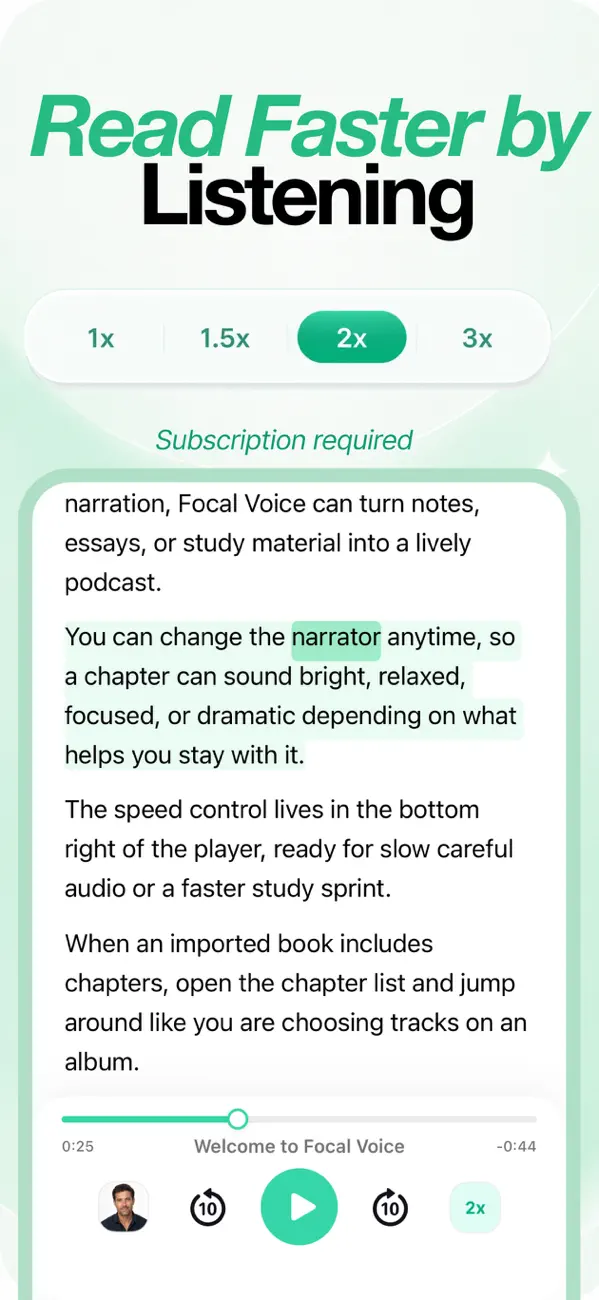
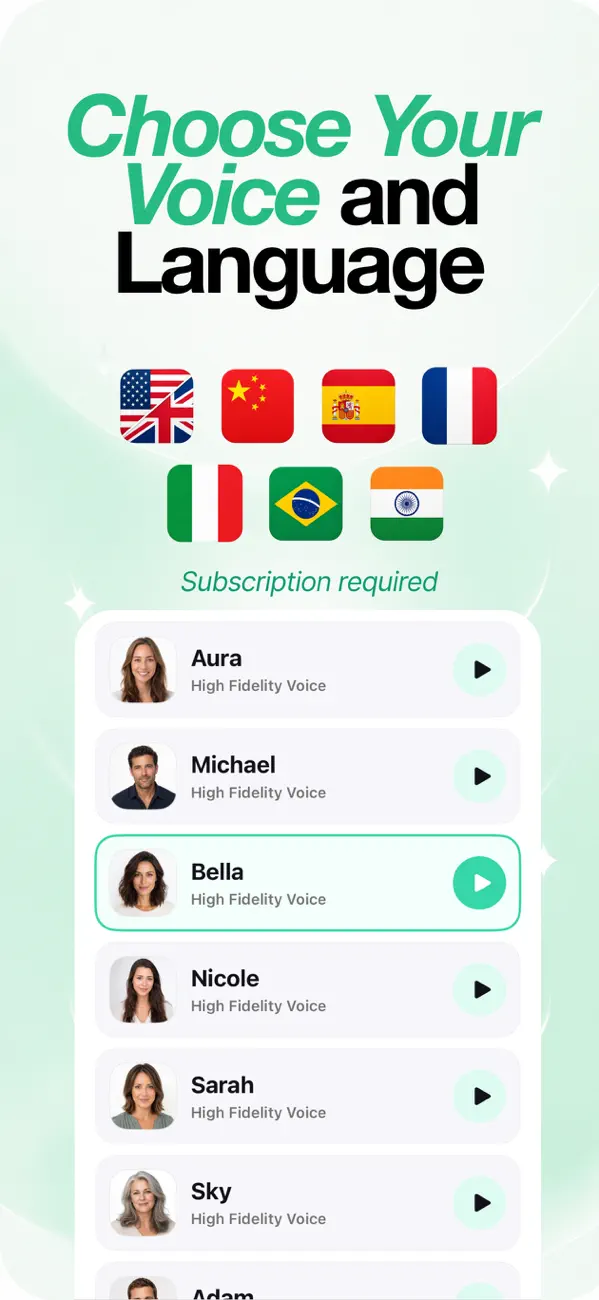
Choose from high-fidelity natural voices in 8 languages and set your pace from a careful 1× to a rapid 3×. Switch narrators anytime, mid-chapter.
Press play — or podcast
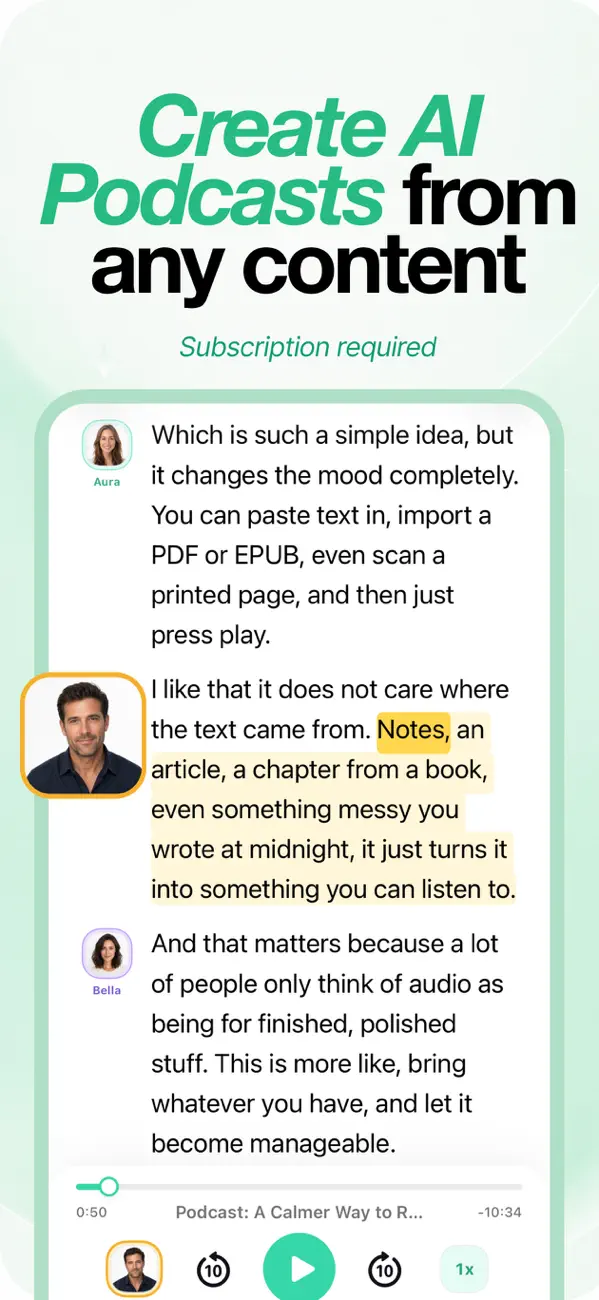
Listen with synced text highlighting, skip by chapter, download audio for offline — or generate a two-host AI podcast that discusses your content.
Listen to PDFs
Reports, papers, contracts — hear them read aloud instead of scrolling.
How to listen to a PDF →Books into audiobooks
Import EPUB and MOBI ebooks and listen chapter by chapter.
EPUB to audiobook →Articles & links
Paste any URL — articles, blogs, X posts, Reddit — and press play.
Listen to articles →8 languages
Natural voices in English, Spanish, French, Portuguese, Italian, Hindi, Japanese & Chinese.
Offline listening
Download a whole book — or the next few hours — for flights and commutes.
Up to 3× speed
Skim by ear: speed through familiar parts, slow down for the dense ones.
Study by listening →Everything you can listen to
Practical, step-by-step guides for getting audio out of anything on your iPhone.
How to Listen to a PDF on iPhone (3 Easy Ways)
Three ways to have any PDF read aloud — built-in iOS options and the full-library approach.
Read the guide → BooksHow to Turn an EPUB or eBook into an Audiobook on iPhone
Convert EPUB and MOBI files into chaptered, resumable audiobook listening.
Read the guide → AI PodcastHow to Turn a PDF into an AI Podcast on iPhone
Generate a two-host podcast episode from any document, notes, or link.
Read the guide → WebHow to Listen to Articles and Web Pages on iPhone
Turn news articles, blog posts, X posts, and Reddit threads into audio with one link.
Read the guide → iOS How-toHow to Make Your iPhone Read Text Aloud (Every Method)
Every method: Speak Selection, Speak Screen, Siri — and when you need a real reader app.
Read the guide → CameraScan a Page and Listen: Turn Photos of Text into Speech
Photograph printed books, handouts, or whiteboards and hear the text read aloud.
Read the guide → StudentsText to Speech for Studying: Learn Faster by Listening
Turn notes, textbooks, and papers into audio — and review anywhere you go.
Read the guide → AccessibilityText to Speech for Dyslexia & ADHD: Listening While Reading
Why listening while reading works, and how to set up a multi-sensory reading flow.
Read the guide →Questions, answered
How do I listen to a PDF on my iPhone?
Open Focal Voice, tap Document, and pick any PDF from Files, iCloud, or another app. The text is extracted and read aloud with a natural voice — with speed control, chapters, and synced highlighting. iOS's Speak Screen works too, for basic one-off playback.
Can I turn an EPUB or eBook into an audiobook?
Yes. Focal Voice imports EPUB and MOBI files and gives them audiobook treatment: chapter navigation, adjustable speed, resumable playback, and offline downloads.
How do I make my iPhone read text aloud?
iOS includes Spoken Content (Speak Selection and Speak Screen) under Settings → Accessibility. For whole documents, books, and a saved library with natural voices, use a dedicated text to speech app like Focal Voice.
Can Focal Voice read web articles, X posts, or Reddit threads aloud?
Yes — paste any URL and Focal Voice extracts the readable content and turns it into audio. That includes news articles, blog posts, X posts, Reddit threads, and even direct links to PDFs.
What is an AI podcast, and how do I create one from my notes?
An AI podcast is a two-host conversational episode generated from your content. Choose Podcast in Focal Voice, add a PDF, notes, or a link, and the app writes and voices a natural discussion of the material.
Can I scan a printed book page and have it read aloud?
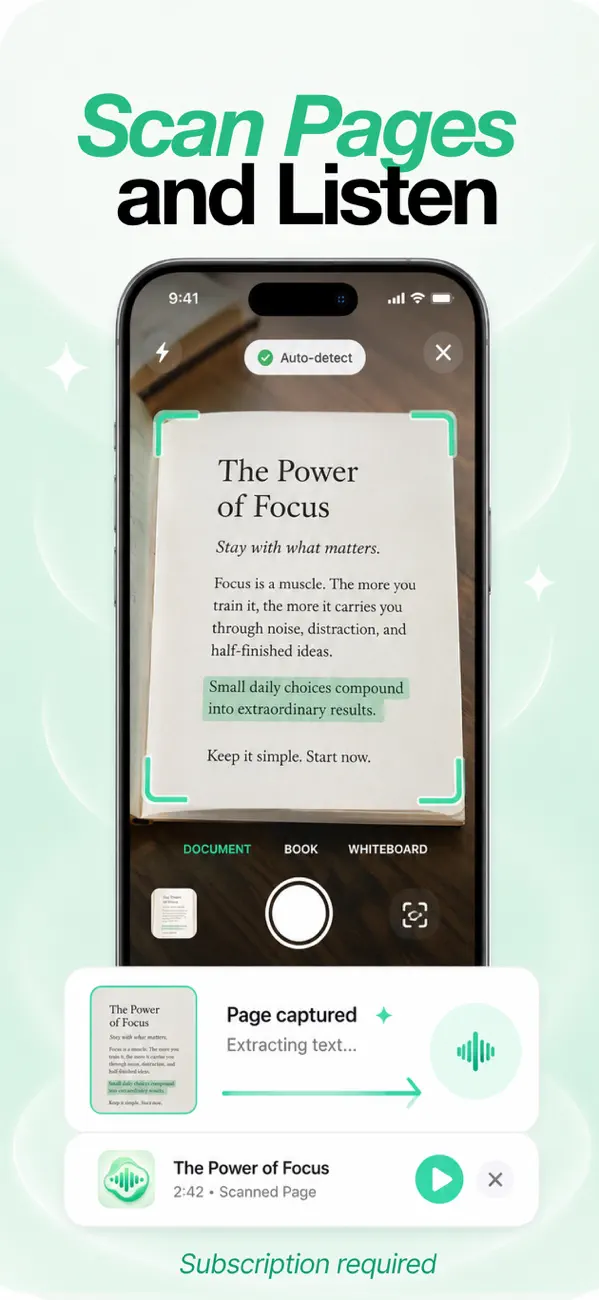
Yes. Scan with Camera photographs a book page, handout, or whiteboard, auto-detects the text, and reads it aloud — or turns it into a podcast episode.
Does listening instead of reading actually help with studying?
For many people, yes: audio lets you review notes while commuting or exercising, and pairing narration with synced highlighting engages two senses at once — which can help focus and retention.
Is text to speech good for dyslexia or ADHD?
Text to speech is a widely recommended assistive tool for dyslexic and ADHD readers. Hearing the text while following highlighted words creates a multi-sensory experience that reduces strain and supports comprehension.
Is Focal Voice free?
Focal Voice is free to download, with an onboarding demo to evaluate it. Full functionality — unlimited listening, AI podcasts, offline downloads — requires a subscription.
Does Focal Voice work offline?
Yes. Subscribers can download a whole book or just the next few hours of audio — with time estimates before starting — and keep listening with no connection. Downloaded coverage shows right on the player bar.
What languages and voices are available?
A roster of high-fidelity voices — Aura, Michael, Bella, Nicole, Sarah, Sky, Adam and more — across English, Spanish, French, Portuguese, Italian, Hindi, Japanese, and Chinese. Switch narrator anytime.
What file types does Focal Voice support?
PDF, EPUB, MOBI, DOCX and text files, pasted text, URLs (articles, blogs, X posts, Reddit, PDF links), and camera scans of printed pages.
Less screen time. More listening.
Download Focal Voice and turn the reading you keep putting off into audio you'll actually get through.