Text to speech is one of the most widely recommended assistive technologies for dyslexia and ADHD. Hearing text read aloud while the words highlight on screen turns reading into a multi-sensory activity: the ears carry the decoding load, the highlighting keeps your place, and comprehension gets room to breathe. Here's why it helps, and how to set it up on an iPhone with Focal Voice.
Why listening while reading helps
- It separates decoding from understanding. For dyslexic readers, much of the effort of reading goes into decoding the words themselves. When a voice does the decoding, that effort goes to the ideas instead.
- Highlighting anchors attention. For ADHD readers, losing your place and re-reading the same paragraph is the classic failure loop. Word-by-word highlighting gives your eyes a moving anchor to follow.
- "Ear reading" is still reading. Educators and assistive-technology organizations have long treated audio access to text as legitimate reading access — the goal is the ideas, not the eye movements.
What matters in a text to speech app
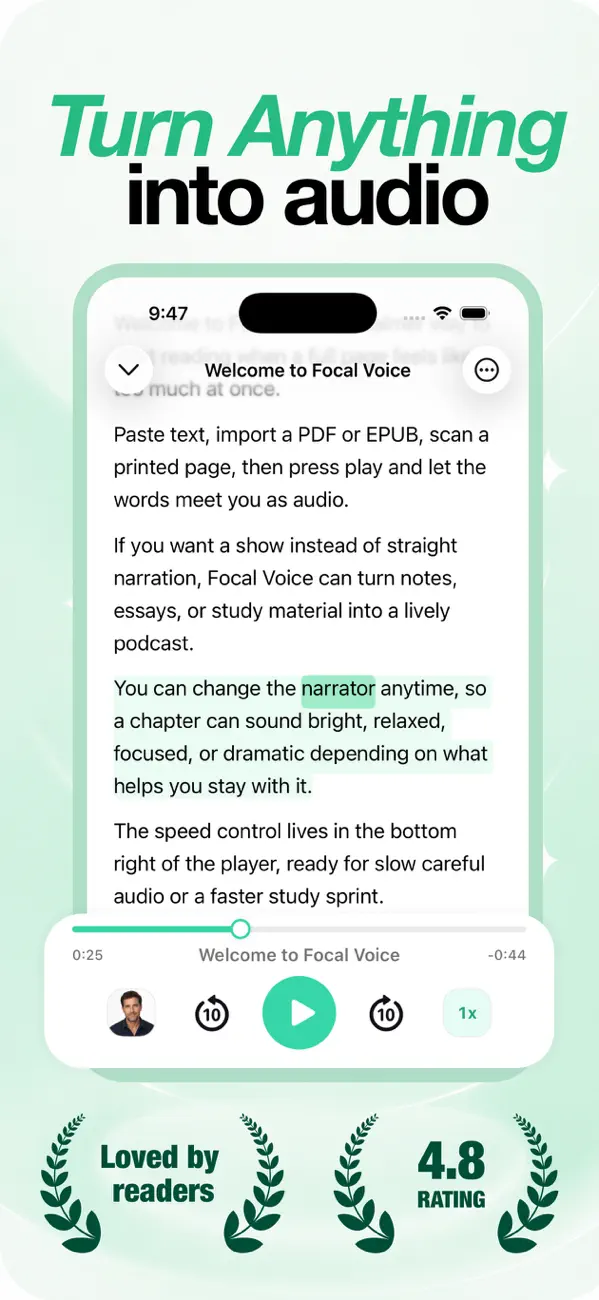
- Synced highlighting — the core of the multi-sensory effect. Focal Voice highlights the text as each part is spoken.
- Natural voices. Robotic voices are fatiguing over a chapter; high-fidelity voices (like Aura, Michael, or Bella) are easy to stay with. Being able to switch narrators keeps long material fresh.
- Speed control that goes down as well as up. 1× or slower for dense text, faster when you're in flow — from a careful pace to 3×.
- Any format in. School and work never send text in just one form: PDFs, DOCX, EPUB books, web links, and printed pages via camera scan all import the same way.
Setting it up
- Download Focal Voice and import something you actually need to read this week — an assignment PDF, an article, a chapter.
- Pick a voice that sounds comfortable to you and set the speed a notch slower than feels necessary for the first session.
- Read along with the highlighting. If your eyes are tired, let the audio carry it alone — the text is there when you want to re-anchor.
Also worth knowing: iOS's built-in Spoken Content (Settings → Accessibility) offers basic reading with highlighting and is free — a good place to start. A dedicated app adds the library, natural voices, document imports, and saved progress that make daily use stick. Comparison in every way to make your iPhone read aloud.
For parents and teachers
Text to speech works best as a bridge, not a replacement for reading instruction: it gives a struggling reader full access to grade-level ideas while decoding skills are built separately. Letting a student hear the assigned chapter — and follow the highlighted words — often turns homework from a fight into a routine.
Frequently asked
Is using text to speech "cheating"?
No. It's an access tool, the same way glasses are. The assignment is understanding the material; text to speech changes the route, not the destination.
Does it replace reading practice?
It complements it. Listening while following highlighted text is itself reinforcing word recognition — but structured reading instruction should continue alongside.