You don't need to buy the audiobook to listen to a book you already own. Import the EPUB or MOBI file into a text to speech app like Focal Voice, and it becomes a fully navigable audiobook — chapters, adjustable narration speed, resumable playback, and your choice of natural voices.
Why turn an eBook into an audiobook?
Audiobook catalogs are limited and episodes of your favorite series may never get recorded. Meanwhile, most of the books you actually need to get through — technical books, indie titles, classics, study texts — exist as EPUB files. eBook to audio conversion means any book becomes listenable: on a commute, on a run, while cooking. You set the pace, and you can switch between reading and listening whenever you like.
Step by step: EPUB to audiobook with Focal Voice
- Get your book file onto your iPhone. Save the EPUB or MOBI to the Files app (iCloud Drive, Dropbox, or a direct download in Safari all work).
- Import it. Open Focal Voice, tap Document, and select the book. Chapters are detected automatically.
- Choose your narrator. Pick from high-fidelity voices like Aura, Michael, Bella, or Sky — and change narrator anytime, even mid-book, if a different tone suits the chapter.
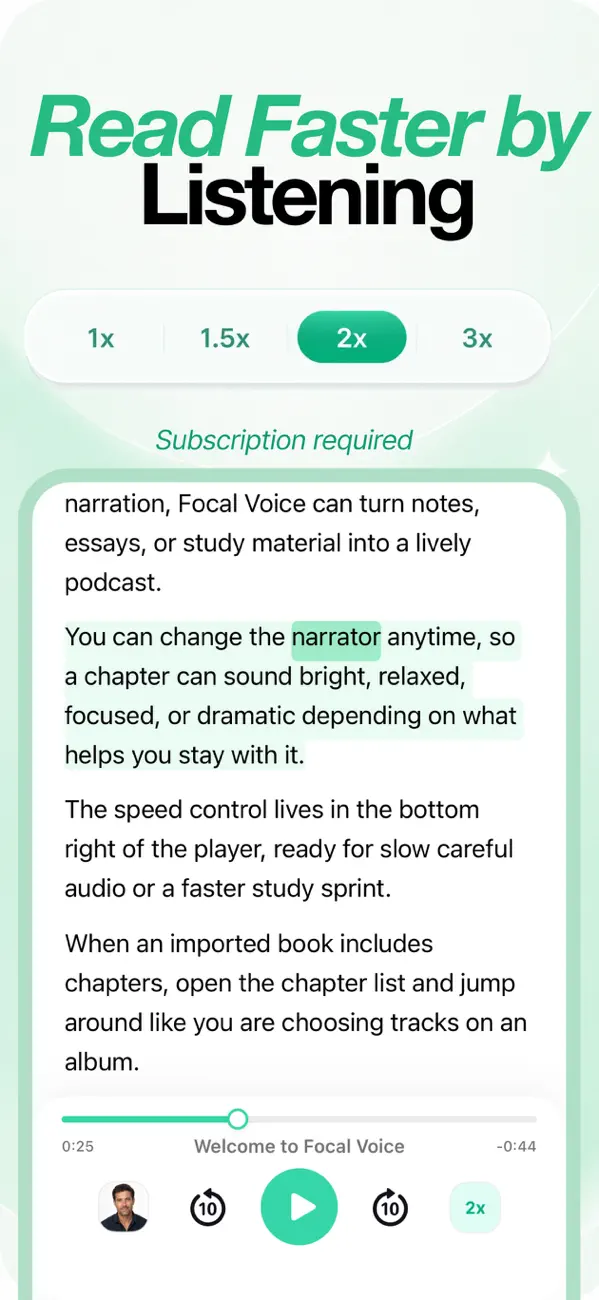
- Press play. Listen with synced highlighting, skip by chapter, and speed up to 1.5×–3× as you get comfortable.
Flight mode: Download the whole book — or just the next few hours of audio — before you travel. Focal Voice shows a time estimate before you start, and downloaded coverage appears right on the player bar.
Tips for a better listen
- Start at 1× or 1.25× for fiction and unfamiliar material; non-fiction you already know can usually take 2×.
- Use the chapter list like an album tracklist — perfect for re-listening to a key chapter before a meeting or class.
- Dense book? Try AI podcast mode on a chapter first: two hosts discuss the ideas, then you listen to the full text with context.
Frequently asked
Does this work with MOBI and other formats?
Yes — Focal Voice imports EPUB, MOBI, PDF, DOCX, and plain text. If you have an older Kindle-format (MOBI) file, it imports the same way as an EPUB.
Can I convert books I bought on Kindle or Apple Books?
Books with DRM (most Kindle and Apple Books purchases) can't be imported into any third-party reader. DRM-free EPUBs — from indie stores, Project Gutenberg, publisher direct sales, or your own documents — work perfectly.
Does my place sync if I stop listening?
Your position is saved per book, so you can pick up tonight where the morning commute left off.