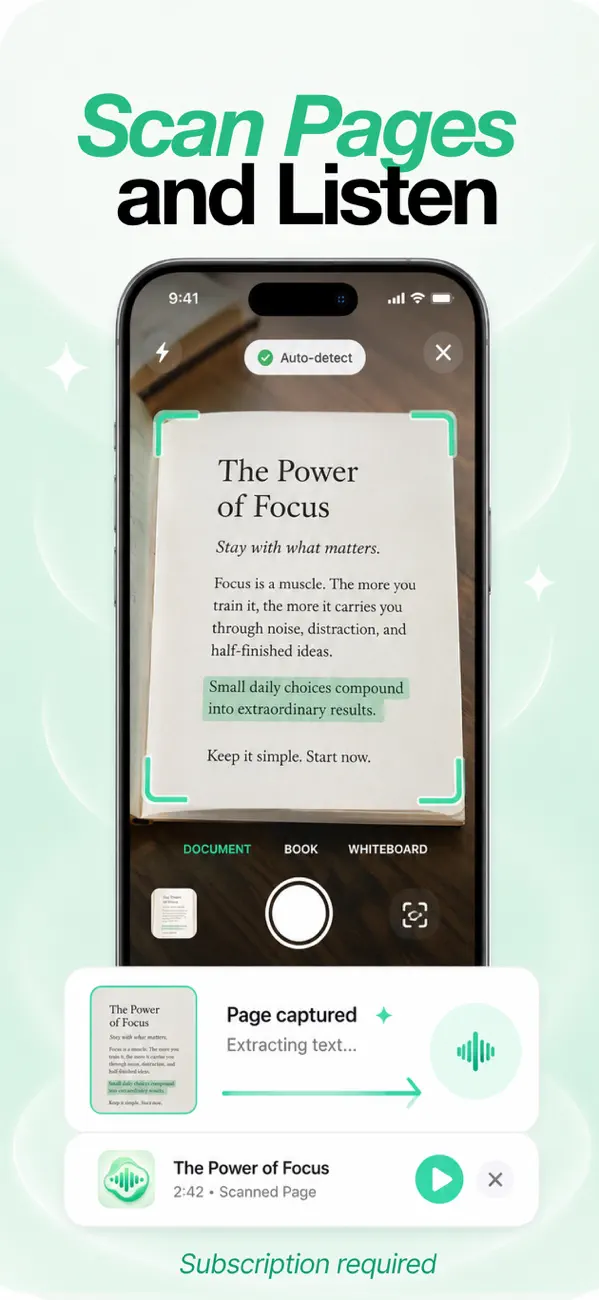
If the text you want to hear exists only on paper — a book page, a class handout, a printed contract — you can photograph it and have it read aloud. In Focal Voice, the Scan with Camera feature auto-detects the page, extracts the printed text, and turns it into audio.
When scan-to-speech is the right tool
- Paper books you own but can't get as ebooks or audiobooks.
- Handouts and worksheets from class or work.
- Whiteboards after a meeting or lecture.
- Printed articles, letters, and contracts you'd rather listen to than squint at.
How to scan a page and listen
- Open Focal Voice and choose Scan with Camera.
- Pick the mode that matches your source — Document, Book, or Whiteboard — and hold the phone over the page. Auto-detect frames the page for you.
- Capture. The text is extracted in a few seconds ("Page captured → Extracting text").
- Press play — or keep scanning pages to build a longer listen, then start playback with a natural voice, speed control, and highlighting.
Scanning a book? Book mode handles the curve of the spine better. For a long section, scan a chapter's pages in one session so it plays as a single track.
Getting a clean scan
- Light the page evenly — shadows across text are the top cause of extraction errors.
- Flatten the page where you can; press gently near the spine.
- Fill the frame with the page and let auto-detect settle before capturing.
What about iOS Live Text?
iOS can recognize text in photos (Live Text), and you can select it and use Speak Selection. It works for a sign or a single paragraph, but page-by-page selection gets tedious fast, and nothing is saved. Scan-to-speech in a reader app turns the same camera trick into an actual listening workflow — a saved item in your library with a player, progress, and your choice of voice.
Frequently asked
Does it read handwriting?
Printed text is what it's built for — typed pages, books, printouts. Clear, neat handwriting sometimes works, but accuracy varies a lot; for handwritten notes, typing or pasting the text gives a reliable result.
Which languages can it scan?
The same 8 languages the app speaks: English, Spanish, French, Portuguese, Italian, Hindi, Japanese, and Chinese.